01AutoCAD · 2D drawings
No more repetitive drafting
Your agent reads every layer, block and title block, then cleans up, fills in and plots your drawings for you.
- Drawing cleanup
- Layer standards
- Data entry
- Title blocks
- Block counts
- Batch plotting
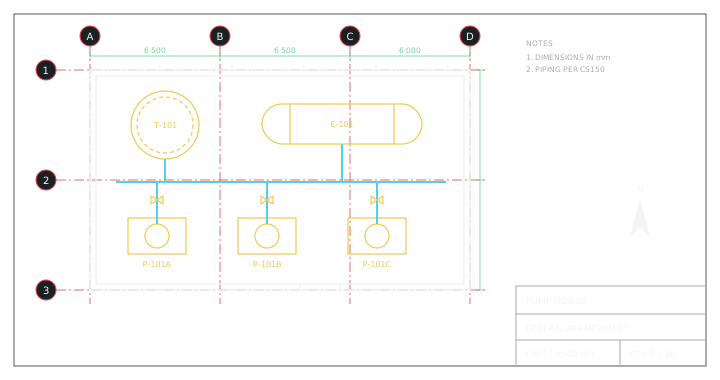
Connect Claude, ChatGPT or any other agent to your AutoCAD projects through our MCP server. The agent understands every component, does anything you would do by hand and answers any question about your project.
 Claude
 ChatGPT
 Cursor
 Copilot
 Antigravity
 AutoCAD
 Plant 3D
 Civil 3D






 Claude
Which lines in Unit-100 have low points without a drain?
Line 100-P-201 has three low points without a drain. The other three lines run down into drum D-102, so they drain on their own.
Add a 3/4″ drain valve at every low point on line 100-P-201, from our CS150 spec.
Added DV-101 to DV-103. DV-101 is selected.
Unit-100.dwgDenyAllowClaude, Cursor or any other agent connects to PlantEngineer in AutoCAD over MCP, the open protocol for AI tools.
ClaudeChatGPTCursorCopilot Antigravity
PlantEngineer installs inside AutoCAD with the essential tools to read the model, edit drawings, run commands and write AutoLISP or C#.
AutoCADPlant 3DCivil 3DOne install connects AutoCAD to Claude, ChatGPT, Cursor and Copilot, so your team can use the AI tools they already have.
Everything you do by hand, from drafting to plotting, done 10x faster by an agent that works in the drawing.
PlantEngineer runs locally next to AutoCAD and connects to the AI tools you already use.
Give your agent skills for your company’s standards and workflows, so it works the way your team does.
Use the server in read-only mode to prevent unwanted changes, or approve each change first.
Describe the work in plain language. Your agent writes any AutoLISP or C# it needs.
01AutoCAD · 2D drawings
Your agent reads every layer, block and title block, then cleans up, fills in and plots your drawings for you.
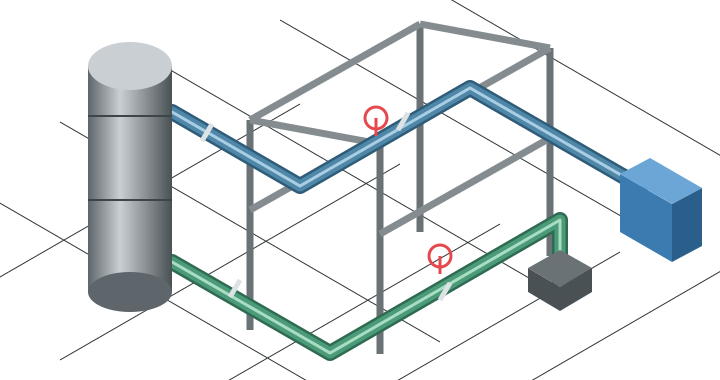
02Plant 3D · Piping models
Your agent reads every line, component and spec, then checks, lists and retags your model for you.
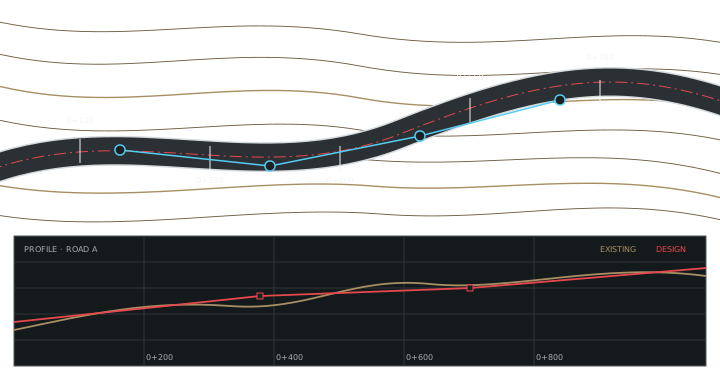
03Civil 3D · Sites
Your agent reads every surface, alignment and pipe network, then finds levels, stations and cut and fill for you.
$0
Let your engineers start for free
What’s included
Custom
Priced to your team and deployment
What’s included
One installer per workstation. It connects the AI clients it finds, so there is nothing to configure by hand and no programming skills are required.
AutoCAD, AutoCAD Plant 3D and AutoCAD Civil 3D 2027 on Windows. Need another version? Email founders@plantengineer.ai and we will move fast to support it.
The MCP server runs locally on your workstation. We do not share your data with any AI model; it only reaches the AI tools you already use.
In read-only mode, your agent can only inspect the model. With write access, you can ask your agent to revert the changes, or use AutoCAD’s undo as usual.
Yes. Give your agent skills for your company’s checks, numbering schemes and deliverables.

Building the tools I wished I had while designing a chip factory at SpaceX.
Brecht is a mechanical engineer trained at Caltech and ETH Zürich. He designed space antennas at NASA JPL and a chip packaging line at Starlink, then spent two years building AI agents for complex engineering projects at Macadamia Labs Inc., his first company, backed by Y Combinator.
Bring your most repetitive task. We will get your agent working on it, live.